BrandMinded · Performance reporting
Rethinking client reporting
I turned text-heavy client reports into visual, insight-driven decks that clients could understand at a glance.
The challenge
Reports clients had to read, not see
When I joined as a marketing analytics intern in charge of reporting, quarterly client reports were slides full of bullet points. Clients had to read every line to find out how their marketing was performing.
- Text-heavy: results were written out in sentences instead of shown.
- Noisy: important numbers were buried among stats that didn't tie back to client goals.
- Not insightful: reports listed what happened but rarely explained why it mattered.
- Role
- Marketing Analytics Intern, now Digital Data Coordinator
- Timeframe
- August 2025 – Present
- Tools
- GA4 · Search Console · Semrush · Google Ads · Meta Ads Manager · Google Business Profile · GoHighLevel · PageSpeed Insights
What I did
A redesign built around one question
I rebuilt the format so each slide answers one question: how are we doing, and why?
- Added KPI callouts: headline numbers sit at the top of each slide, with quarter-over-quarter and year-over-year change shown in green or red.
- Replaced bullets with graphs: monthly trends, lead sources, and traffic channels are charted so clients see the story instantly.
- Cut the noise: removed stats that didn't connect to client goals and focused on leads, appointments, traffic, search performance, AI visibility, and more.
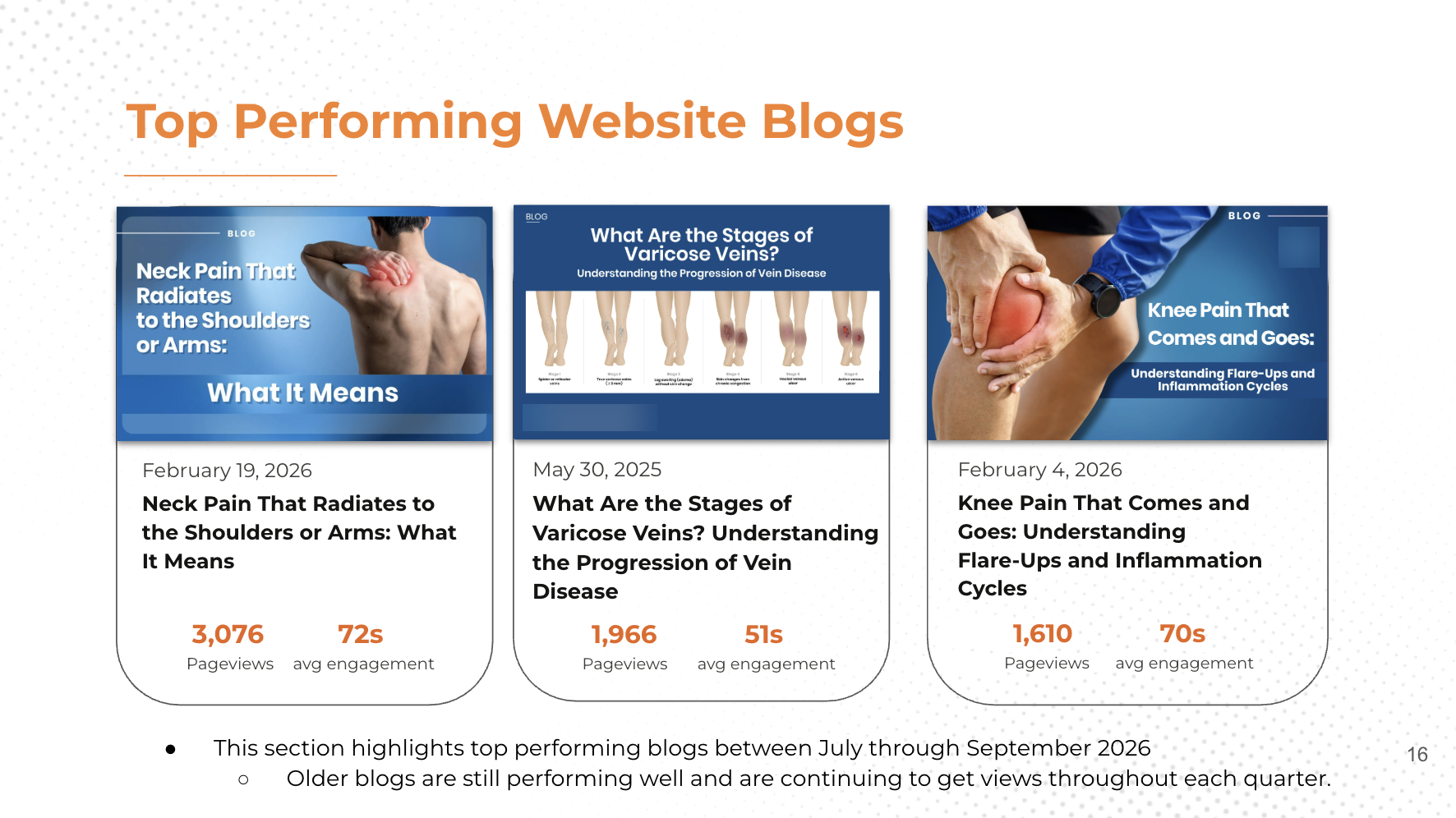
- Put content in context: top blogs are shown as visual cards with their artwork, pageviews, and engagement time.
- Wrote short takeaways: a single line of insight replaces paragraphs of explanation.
- Added AI visibility tracking: introduced a new metric showing whether clients appear in AI answers, not just traditional search.
Results
Before and after
Lead reporting
From bullet points to a story at a glance
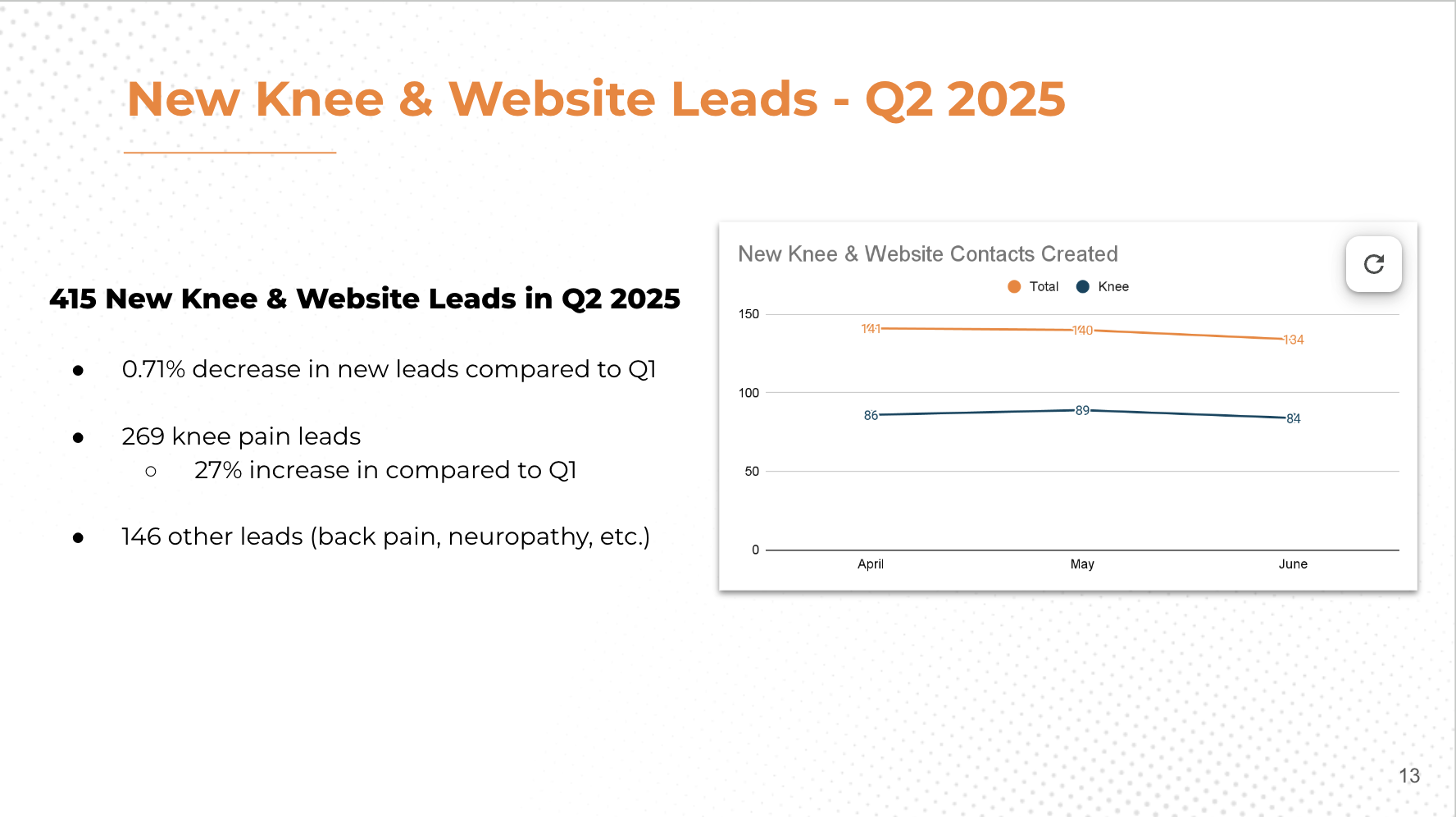
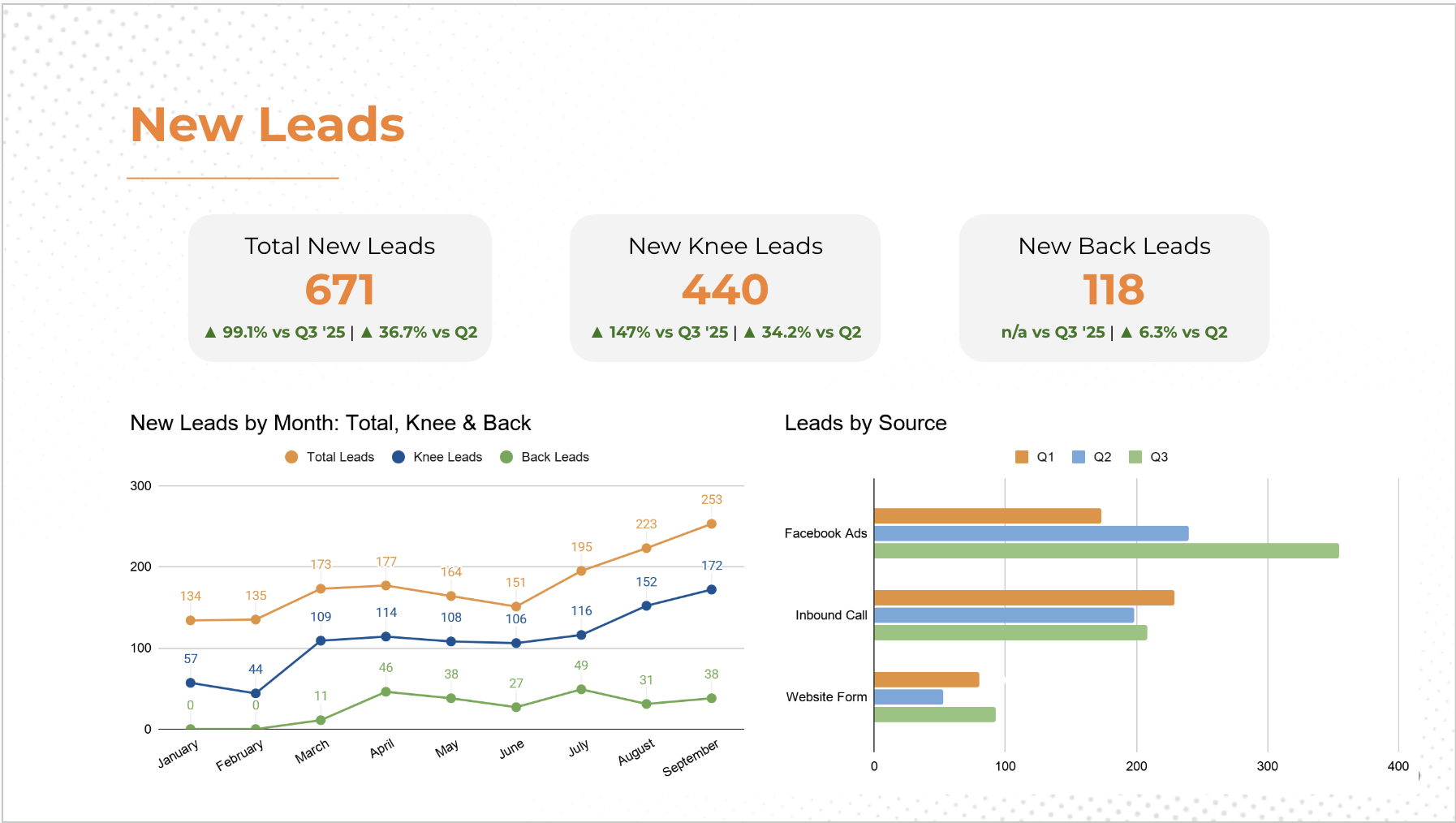
The old slide listed results in sentences. The new one puts the headline numbers and their change up top, with the monthly trend and lead sources charted underneath.
Business results
Appointments, shown instead of explained
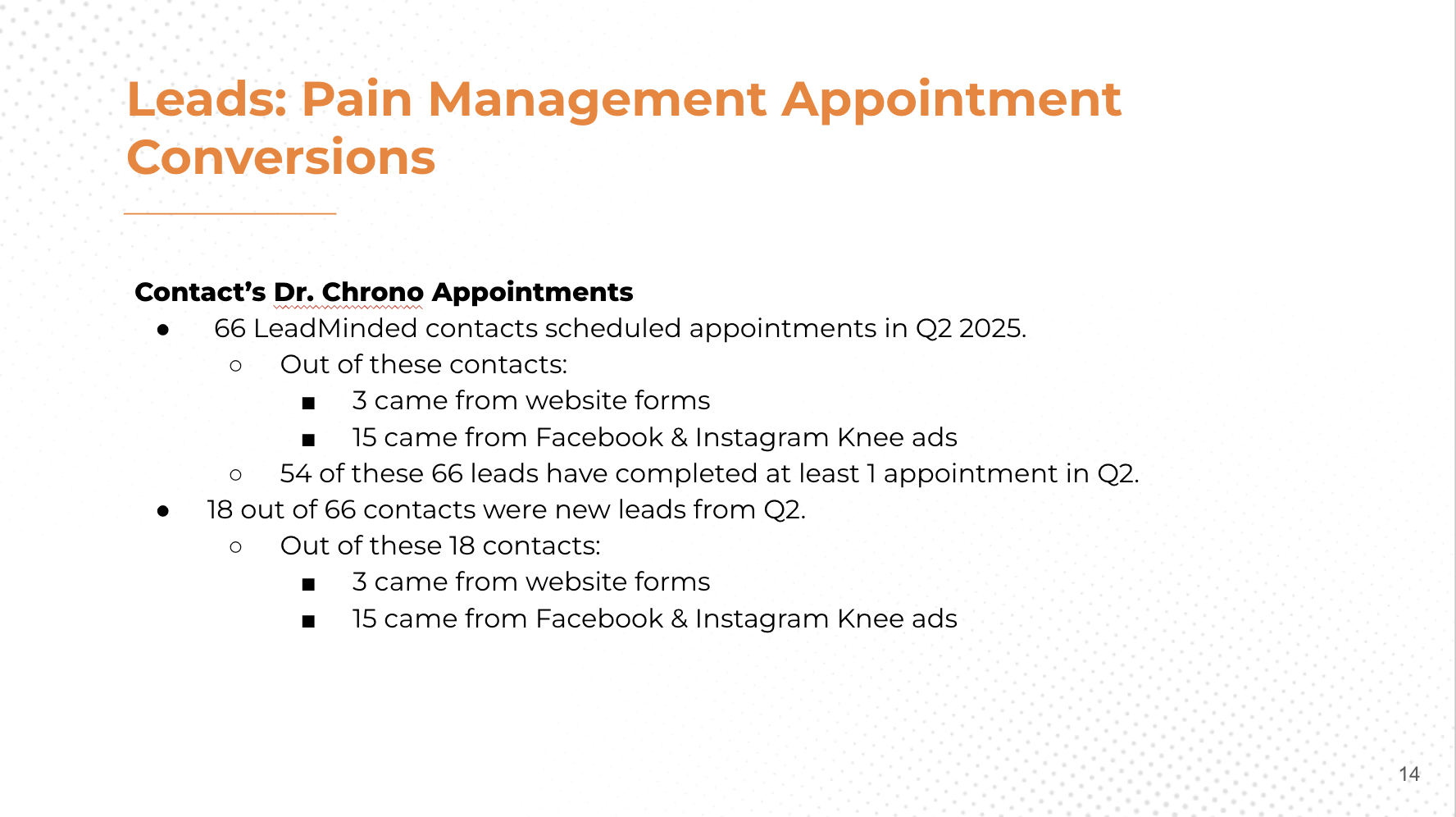
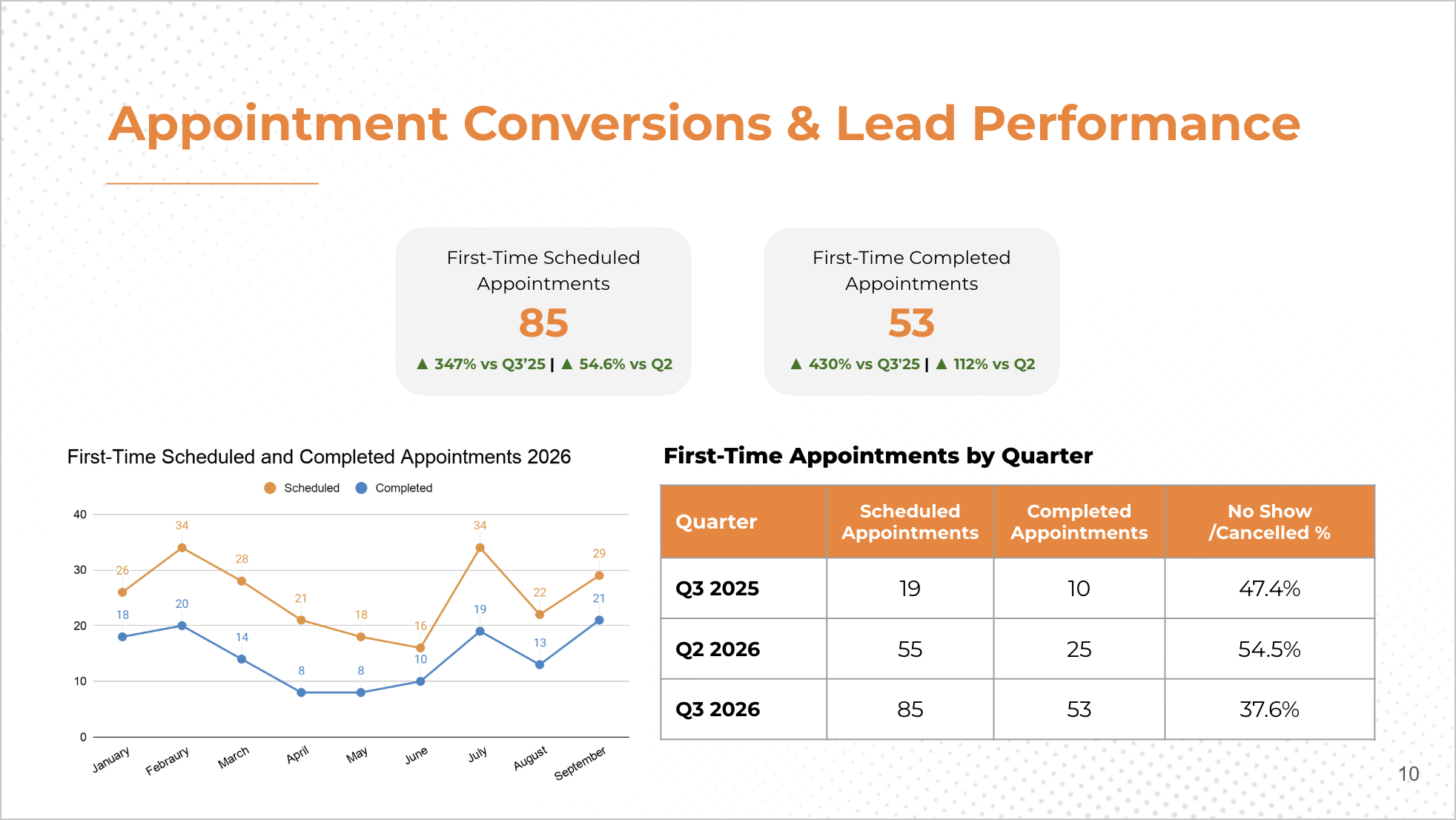
Appointment data used to be a stack of nested bullets. Now first-time scheduled and completed appointments are KPI callouts, a monthly chart, and a quarter-by-quarter table, so clients can see how their visibility turns into patients.
Search performance
Clear numbers with context
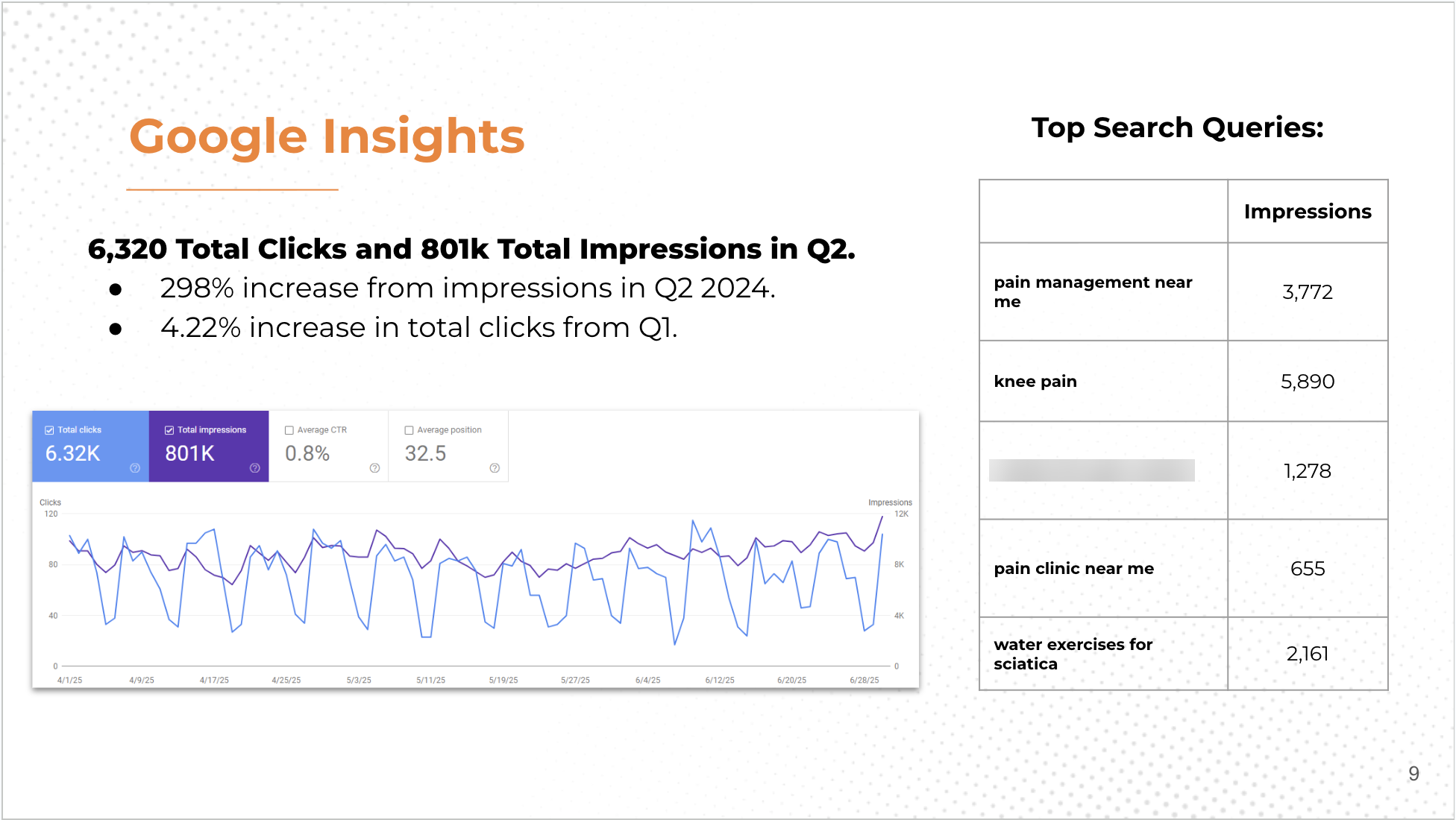
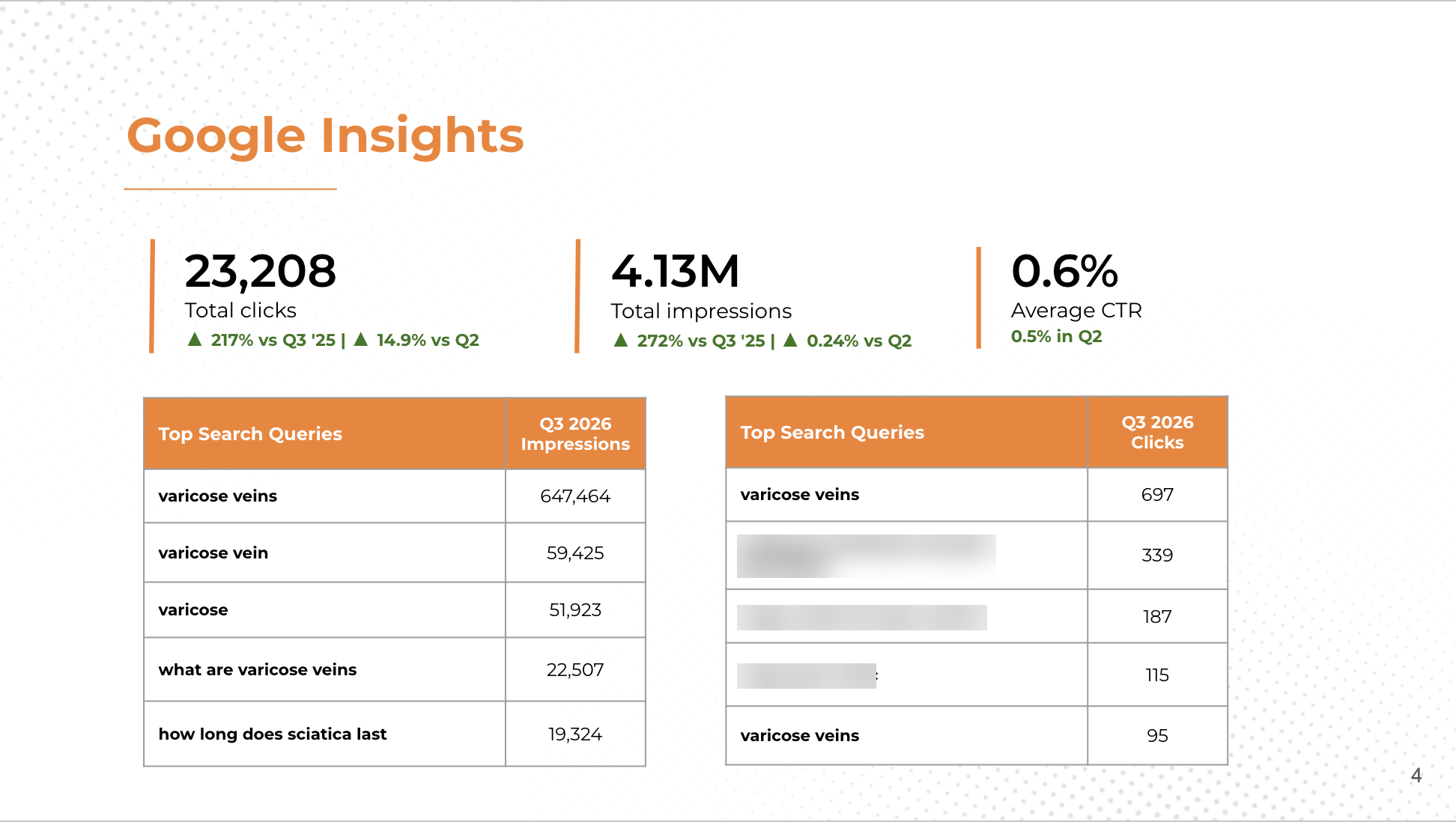
Clicks and impressions now lead the slide with year-over-year and quarter-over-quarter change, and top queries are split into impressions and clicks so clients see what people search and what they click.
Content performance
Blogs clients recognize
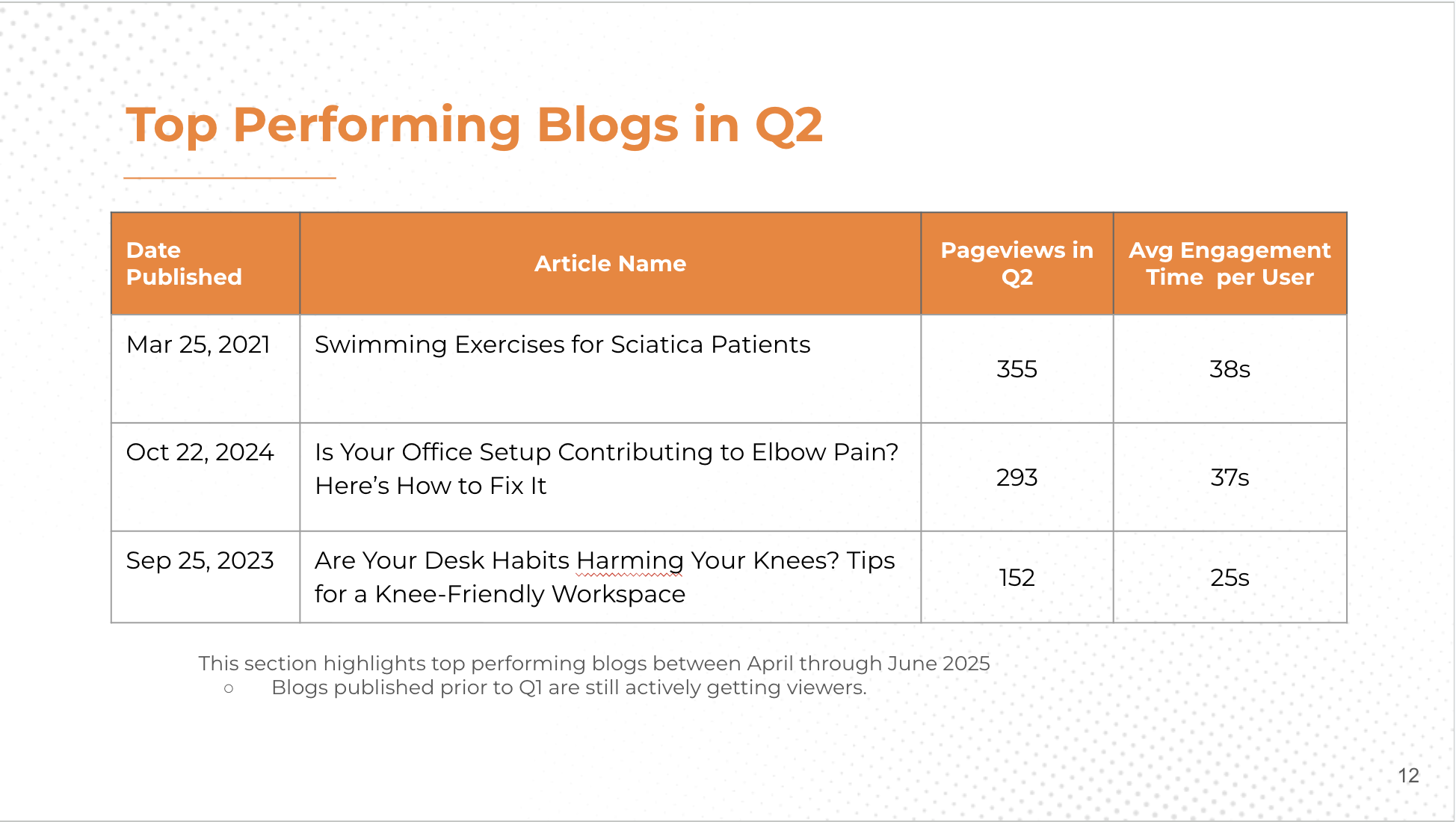
A plain table became visual cards with each blog's artwork, pageviews, and engagement time, so clients can see which content is working at a glance.
New metric
Adding AI visibility
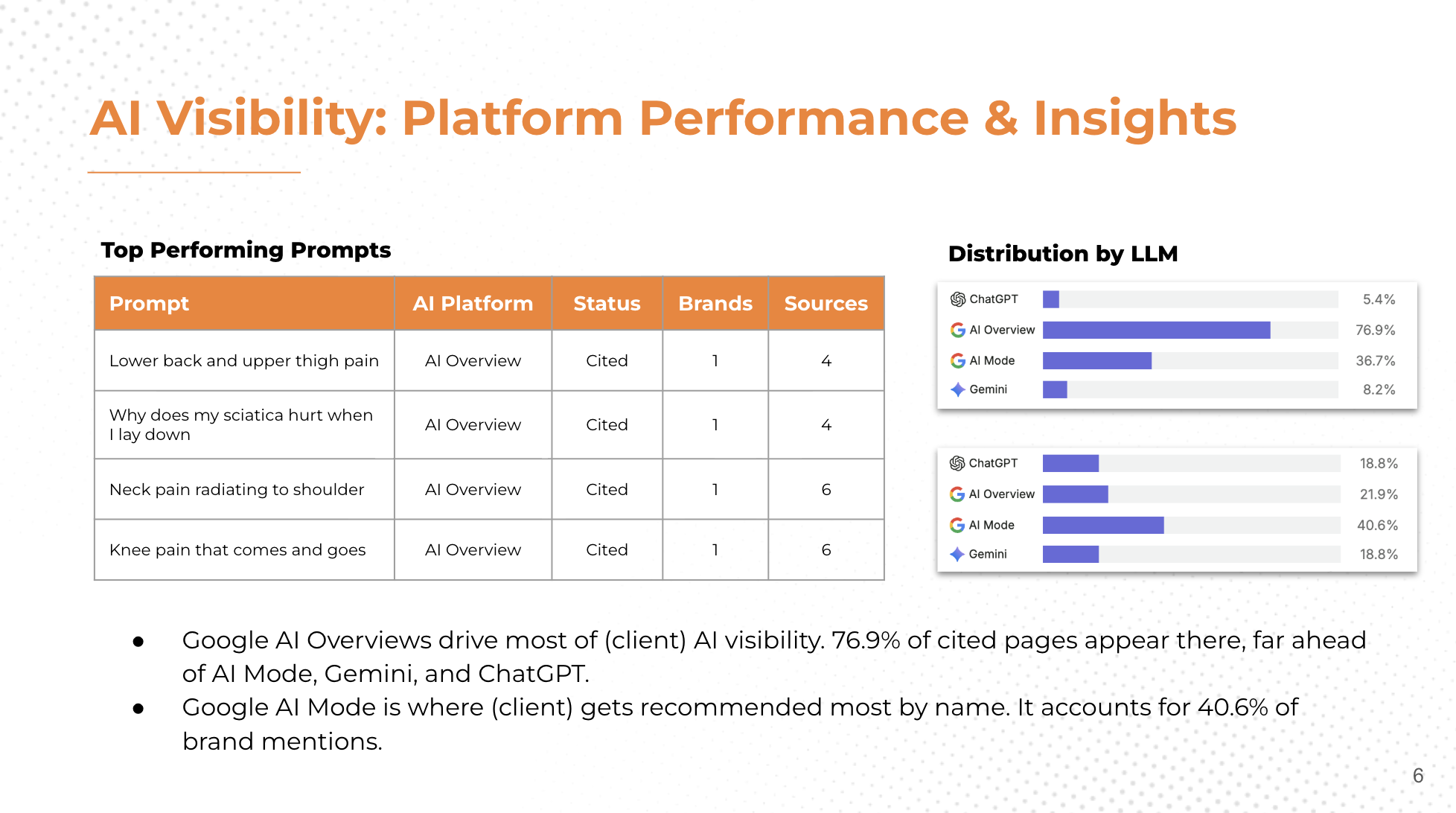
As more people search through AI tools like ChatGPT and Google's AI Overviews, clients need to know whether their brand shows up in those answers. I added AI visibility as a metric the agency tracks, showing which patient questions surface the client and where it's cited versus recommended by name.
Click any slide to view it full size. Client names are removed.
Takeaway
Good reporting shows, not tells
Clients were happy with both the new style and what it showed them. Reports became faster to read and easier to act on, and results that used to be buried in bullet points now stand out at first glance.← All case studies